Overview
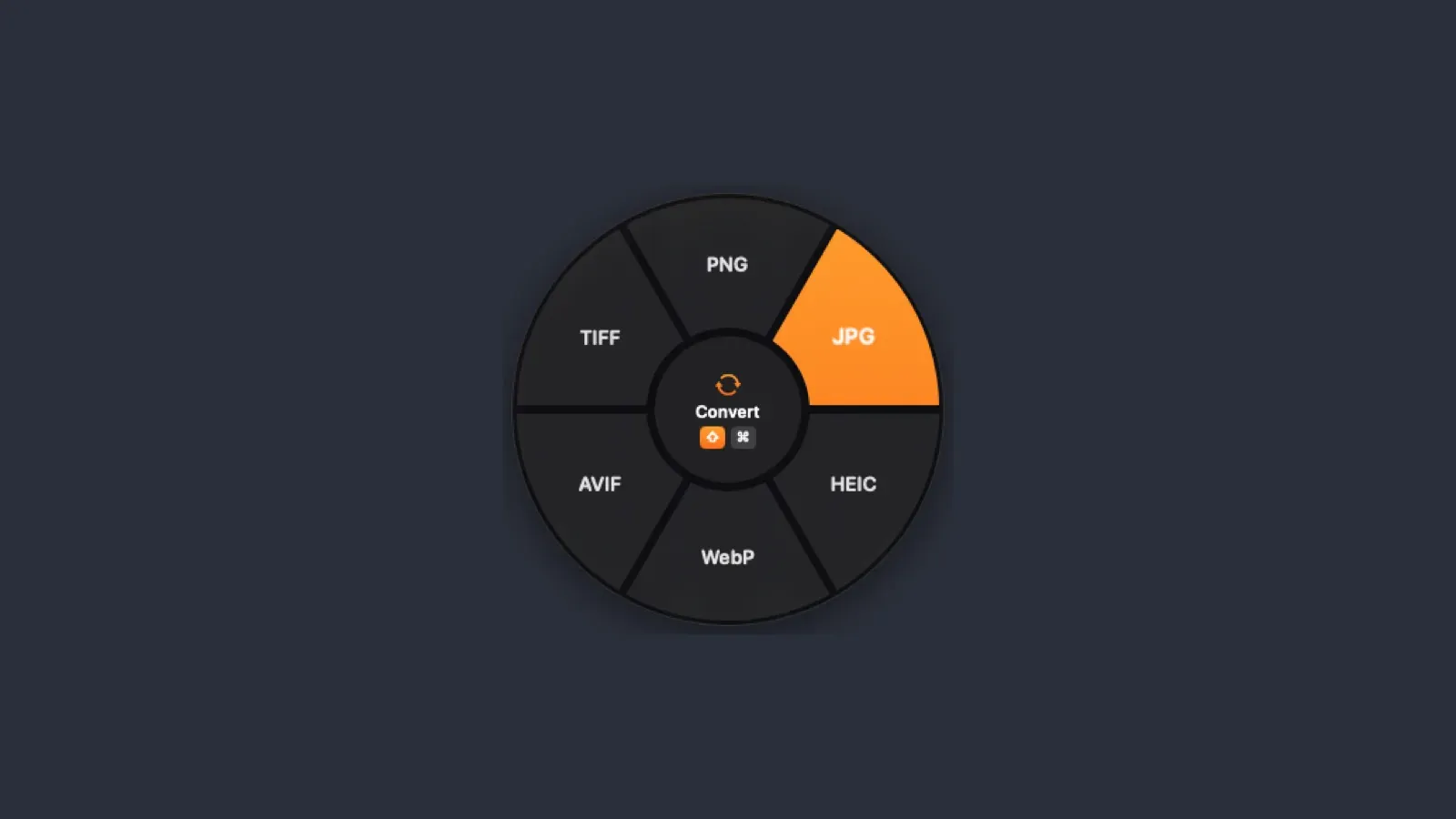
Halo turns drag and drop into a quick image tool. While you’re dragging images from Finder or the Desktop, tap ⇧ for a Convert wheel or ⌘ for a Tools wheel. Drop the files on a slice and the result is saved next to the original.
- Convert: PNG, JPG, HEIC, WebP, AVIF, TIFF, GIF, BMP or PDF.
- Tools: resize, fit to 1920px, compress, strip metadata, trim borders or crop.
Halo is inspired by Tangerine, a Mac app that adds a conversion wheel to drag and drop. I liked the idea and built a small version for my own use. Halo shares no code with Tangerine and isn’t affiliated with it.
The problem
I often prepare images for the web: turn a screenshot into WebP, shrink a photo, strip location data. Opening Preview or a full editor for each file breaks the flow. A Finder Quick Action is closer, but it takes a right-click and a submenu. The fastest place for the tool is the gesture I’m already making: the drag.
Approach
Halo is a native AppKit and SwiftUI app with no dependencies except libwebp, which is linked statically.
DragWatcherpolls the mouse buttons, the modifier keys and the system drag pasteboard at 60 Hz. When a file drag is in progress and ⇧ or ⌘ is tapped, the wheel appears under the cursor.Wheelis a borderless panel that accepts the drop. Each slice is a drop target, and dropping in the centre cancels.ImageOpsdoes the work with ImageIO and PDFKit.WebPwraps libwebp and libwebpmux to encode WebP and embed the colour profile.Jobsprocesses a few files at a time in parallel. If one file fails, it’s reported and the rest carry on.
Key decisions
No special permissions. Watching keys in other apps usually means asking for Accessibility or Input Monitoring access. Polling the button, modifier and pasteboard state gives Halo enough to work without either. That’s one less scary prompt for a small utility.
Quick jobs stay in the wheel, slow ones move to the menu bar. A job that finishes within about 1.5 seconds shows its result right on the wheel. Longer jobs move to the menu bar, where the icon becomes a progress ring and each job gets Cancel and Show. A notification arrives when it’s done, with Show and Trash actions.
Output quality.
- WebP made from lossless sources is encoded lossless and keeps profiles such as Display P3.
- Resizing keeps 16-bit depth and never adds an alpha channel.
- Compress skips files it can’t make smaller and shows how much space it saved.
- PDF output embeds JPEGs without re-encoding them.
Never lose work. Results are written to a temporary file first, so a crash never leaves a half-written file. Nothing is ever overwritten. New names follow the original’s style, so IMG_1234 becomes IMG_1234_cropped and my-photo becomes my-photo-cropped.
Challenges
I reviewed the whole codebase myself and kept the findings in CODE_REVIEW.md, rated by severity. That file became the single record of what was fixed and why. Two bugs stood out:
- Sideways photos. Converting an iPhone portrait photo to WebP produced a landscape image. WebP, AVIF, BMP and GIF all drop the EXIF orientation tag. The fix was to bake the rotation into the pixels for every action.
- A race on drop. The 60 Hz poll could see the mouse released before the system delivered the drop, so the wheel hid itself just as the job began. Each show and hide now carries a generation number, and a drop cancels any pending hide.
Halo also has a command-line mode for testing (--run png photo.jpg). The test suite generates fixture images, runs every action through that mode, and reads facts back from the results: size, bit depth, alpha, colour space and PDF page count. All 40 checks pass.
Outcome
- A menu bar app I use every day, built in about a week of evenings.
- 9 output formats and 7 tools, including an interactive multi-image crop window.
- A Settings window to turn formats and tools on or off, choose the output folder and set how names are joined.
What I’d do next
- Keep EXIF metadata in WebP output.
- Support animated GIFs and multi-page images. Only the first frame is used today.
- Support older macOS versions by building libwebp myself instead of using Homebrew’s macOS 26 build.