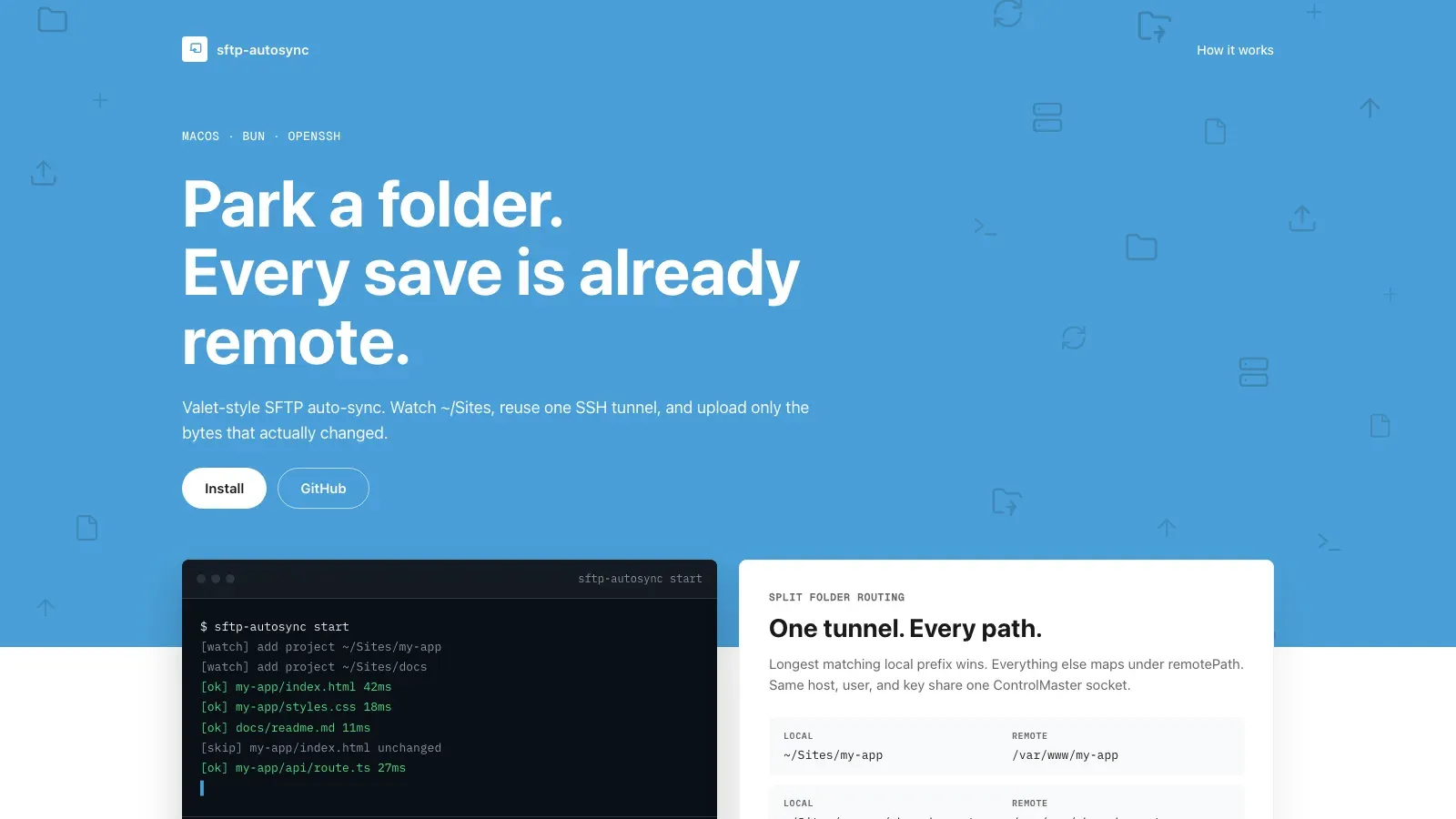
Overview
Some of the sites I work on still deploy the old way: edit a file locally, then upload it over SFTP. sftp-autosync makes that a background job. It borrows Laravel Valet’s “park a folder” idea. You park ~/Sites, add a small config to any project inside it, and that project’s changes reach the server without opening FileZilla or an editor plugin.
It ships as a CLI (bun, npm or a Homebrew tap) and a login daemon, along with an agent skill so AI coding agents can push files too. It also has its own landing page.
The problem
Editor SFTP extensions are tied to one editor and one window. They open a new connection for every upload, and they get confused when files are rewritten by tools or agents rather than saved by hand. FileZilla is manual. For several small sites on several hosts, I wanted the following:
- Uploads that run whatever app changed the file: an editor, a build step or an AI agent.
- Fast uploads, without a fresh SSH handshake each time.
- Safety first. A wrong remote path must never wipe or overwrite a live site.
Approach
The tool is a one-way uploader built on the system’s OpenSSH, not an SFTP library. Each user, host, port and key combination shares one ControlMaster socket with ControlPersist, so after the first connection every scp reuses an open session.
- Parking. Every immediate child of a parked folder with
.sftp-autosync/sync-config.jsonis a project. New projects are found through a watch on the parent folder plus a periodic rescan. - Two modes. Manual, the default, uploads only on
sftp-autosync push: the whole project, named paths, or--changedfor git working-tree changes. Autosync watches the project and uploads after a debounce. - Routes. The longest matching local prefix decides the remote target, so a
shared-assets/folder can deploy somewhere other than the main path. - Daemon. An optional LaunchAgent starts at login and sends macOS notifications for failures and slow uploads.
The runtime is Bun with no npm dependencies. I even replaced @clack/prompts with a small in-repo terminal UI to keep installs light.
Key decisions
Fingerprints, not timestamps. Editors and agents often rewrite files without changing them. Each project keeps a content-hashes.json. An upload is skipped when size and modification time match, and if they don’t, the SHA-256 hash is compared. Identical rewrites never reach the server, even after a daemon restart.
Manual by default. Autosync is convenient, but a background process that deletes files on a production server is risky. New projects start in manual mode. Older configs with no mode stay on autosync, so existing setups don’t quietly stop syncing.
Deletes go to a trash folder. Remote deletes are off unless you turn them on. When they’re on, files move to .sftp-autosync-trash/<timestamp>/ on the server instead of being removed with rm, and that trash is pruned after 7 days.
Challenges
Making a wrong path harmless. Several safety rules came out of one scare:
- Remote paths must be at least three levels deep, so
/var/wwwis refused. - The first push into a non-empty remote is refused unless you adopt the existing files or force it.
- If two projects map to overlapping remote paths, startup logs a collision warning.
Failing loudly but recovering quietly. SSH errors are sorted into types such as authentication, host key, network and permission, so doctor and status can say what’s actually wrong. Failed uploads go to a retry queue with a circuit breaker, and the last error stays visible until a later upload succeeds.
Testing against a real server. A Docker sandbox runs real OpenSSH on localhost:2222 with two parked projects. An end-to-end check confirms that edits and deletes in one project never touch the other project’s remote files.
Outcome
- Version 0.4.0, installable with
bun,npmor Homebrew, with an MIT license. - About 6,900 lines of source and 205 tests across 28 files.
- A
doctorhealth check, a command menu, VS Code task samples, and an agent skill so asking an agent to “push to remote” runssftp-autosync push --changed.
What I’d do next
- Tag and publish the 0.4 work as a stable Homebrew release instead of
--HEAD. - Add an uninstall subcommand. Removing the LaunchAgent is still a separate script.
- Consider sync from the server back to the local copy, which is out of scope today.