Overview
Plenty of Chinese variety shows on YouTube have Chinese captions burned into the picture and no subtitle track to translate. subgen turns one of those videos into a timed English .srt file.
- Download the video.
- Find where the captions sit on screen.
- Read them with Apple’s on-device Vision OCR.
- Translate them in batches with Claude Code in headless mode.
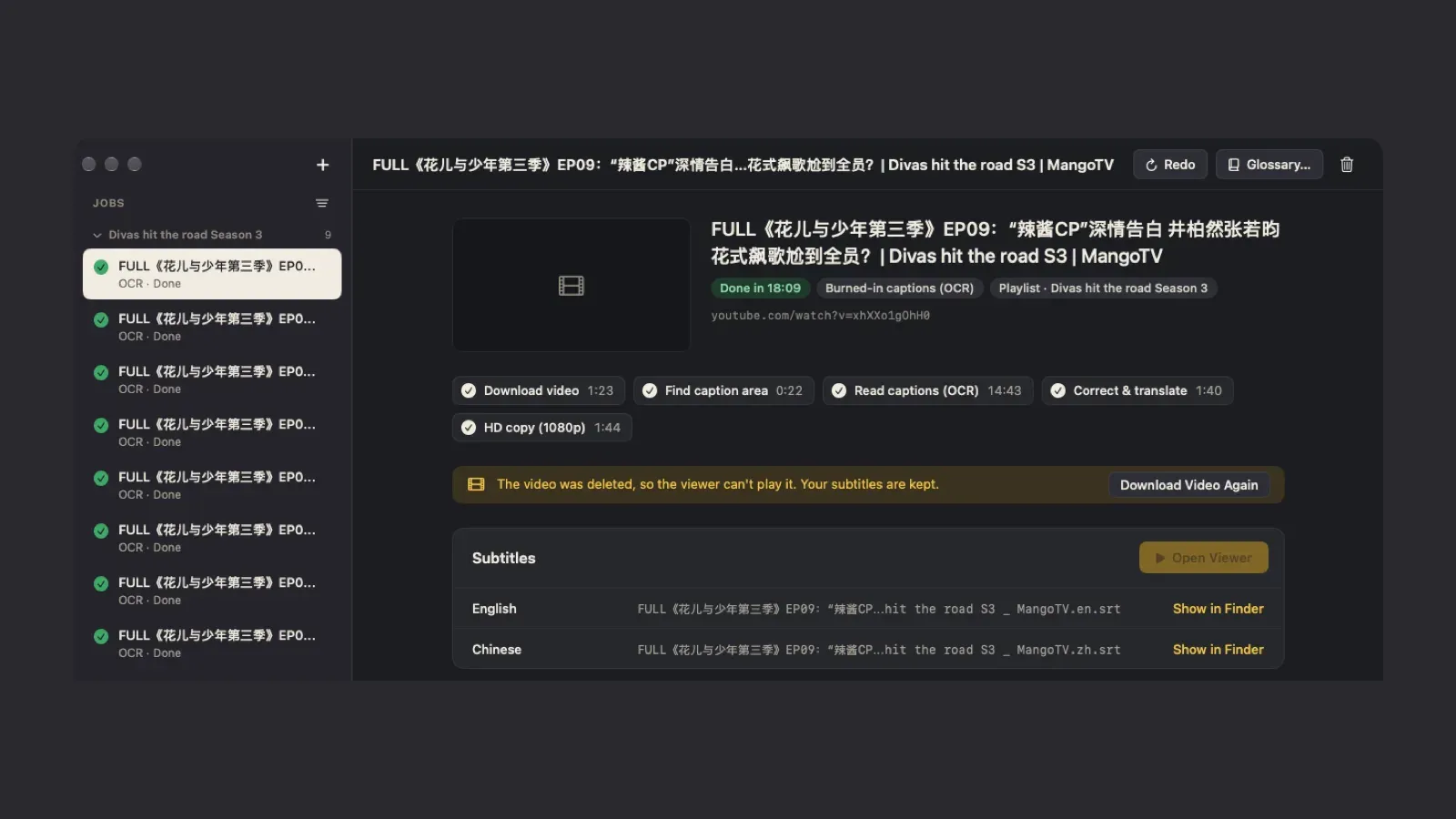
A SwiftUI Mac app on top of the CLI adds a job queue, live progress, and a viewer for fixing lines while you watch.
The problem
Speech recognition is the obvious approach, but variety shows are hard for it: overlapping voices, music and sound effects. The burned-in captions are already a clean, human-checked transcript. They just aren’t text. Reading them is accurate, but only if you know where to look and avoid reading the same caption over and over.
Approach
The pipeline is about 1,400 lines of Python, built so that each stage is cached and can be resumed:
- Fetch.
yt-dlpdownloads a 720p copy to process. A 1080p copy downloads in the background just for watching, and it’s dropped if its length doesn’t match. - Region. About 40 to 120 sampled frames are OCR’d to find the band where text keeps changing. That’s the caption band.
- OCR.
ffmpegcrops that band at 4 frames per second. A frame is only OCR’d when its white-text pixels change, which skips most frames. - Cues. Watermarks, sponsor badges at the screen edges and blacklisted words are removed. Frames with the same text merge into timed cues.
- Translate. Cues go to
claude -pin batches of 80, three batches at a time. A glossary keeps cast names consistent, and adverts or OCR garbage come back as[DROP]and are removed.
Key decisions
Use the captions, not the audio. Apple Vision OCR runs offline through ocrmac, it’s free, and on this kind of content it beats Whisper because the captions are already correct. To check that rather than assume it, I added speech recognition as an experiment and a subgen-compare tool. The tool scores Whisper and SenseVoice against the OCR captions on character error rate, timing and speed.
Translate with Claude Code in headless mode. Using claude -p means translation runs on my existing Claude subscription with no extra API key. Claude also gets the job of cleaning up: it marks adverts and OCR noise to drop, and with --asr merge it reconciles the two speech engines.
Cache everything. Each stage writes to work/<id>/, and --redo region|ocr|translate re-runs from any stage. Editing the glossary and re-translating takes seconds, because the OCR doesn’t run again.
Challenges
- Finding the right band. Scene titles and show logos also change over time. The detector learned to skip scene titles, and
--previewsaves a frame with the detected band outlined so a bad guess is easy to fix with--region. - YouTube 403 errors. Downloads started failing until
yt-dlpwas given a JavaScript runtime and retries. - A useful Mac app. The app runs the CLI with
--eventsand turns its progress stream into a job queue. It shows each stage’s progress with an ETA, supports pause, continue and stop, and resumes after a quit using cached chunks. The viewer uses AppKit’sAVPlayerView, has a collapsible line list for editing English lines, and offers a glossary editor with “Save & Re-translate”.
Outcome
- English subtitles for full episodes, loaded into the browser with the Substital extension or watched in the app’s own viewer.
- A two-engine speech recognition mode for videos without burned-in captions. A glossary is built automatically from the title, the description and a first pass of the transcript.
- A storage screen to see and free disk space, and to download a deleted video again.
What I’d do next
The roadmap starts with keyboard navigation between subtitle lines in the viewer. Beyond that, the region detector could find more than one caption band, for shows that put speaker names and dialogue in separate places.