Overview
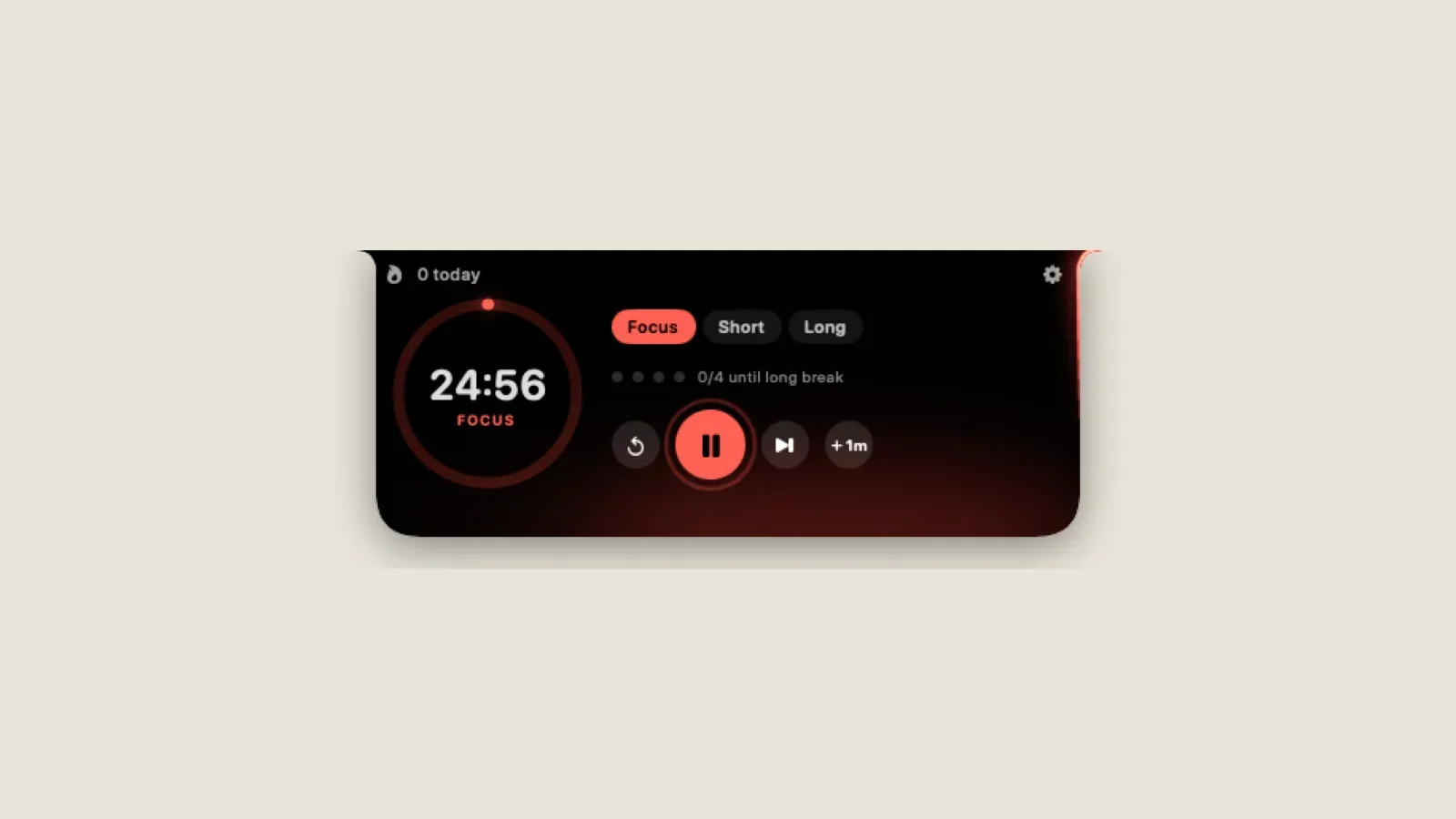
NotchFocus puts a Pomodoro timer into the black space around the MacBook camera notch.
- Closed: a small progress ring and phase icon sit left of the camera, with the countdown on the right. It shows nothing when idle.
- Hover: it grows a little.
- Click: it opens into a full timer.
- Phase change: a banner drops out of the notch with a chime and a haptic tap.
It’s native SwiftUI and AppKit, about 1,400 lines, with no dependencies.
The problem
Timer apps either sit in the menu bar as text you stop noticing, or open a window that gets buried under others. The notch is always visible, always in the same place, and otherwise wasted. It’s the right size for a glanceable status, and on newer iPhones the Dynamic Island has already taught people that this spot can grow and react.
Approach
NotchWindowControllerowns a borderless panel placed just above the main menu level. It joins all Spaces and floats over full-screen apps. The notch’s exact size comes from the screen’s top safe-area inset and the auxiliary areas on each side of it.NotchShapedraws the outline that grows out of the notch. It animates between closed, hover, open and banner sizes.PomodoroTimerandNotchViewModelhold the state: focus, short and long breaks, session dots, auto-start, and +1 minute.NotchEffectshandles the visuals: a shockwave when the banner drops, an optional border in the phase colour, and, while the timer is open and running, a comet of light sweeping along that border over a slowly pulsing glow.
Key decisions
Show nothing when idle. The closed state only appears while a timer is running. A notch app that’s always on screen would feel like clutter.
Hover and click, then dismiss automatically. Hovering makes it grow, clicking opens it, and moving the pointer away closes it. Global and local mouse monitors handle that, plus a click-outside monitor so it never stays in the way.
A keyboard shortcut that works without permission when possible. Double-tapping ⌥ Option opens or closes it from any app. Watching modifier keys in other apps normally needs Accessibility permission. If it’s granted, NotchFocus listens for key events. If not, it falls back to polling the modifier state, which needs no permission. The shortcut works either way.
Works on Macs without a notch. There it becomes a small pill in the middle of the menu bar.
Challenges
The hard part was making it feel like part of the Mac. Window level, collection behaviour and safe-area maths all have to be right, or the panel slips under the menu bar, disappears in full-screen apps, or sits a few points off the real notch. The banner animation, haptic and chime are timed together, so the end of a phase reads as one event rather than three.
Outcome
- A timer I keep running all day, with a right-click menu for Start or Pause, Reset, Skip and Quit.
- Settings for durations, long-break interval, auto-start, chime, the coloured border and launch at login.
- A custom app icon drawn in code by a small Swift script.
What I’d do next
- Daily focus stats and a streak in the open view.
- A Focus-mode hook, to turn on Do Not Disturb during focus sessions.
- A signed and notarised release, so friends can install it without building it themselves.